Install IPTV Smarters PROon your Windows
- DeviceWindows
- AppIPTV Smarters PRO
- 3SetupFollow the steps

- 1
Grab the Windows build from iptvsmarters.com
Open iptvsmarters.com, scroll to downloads and take the Windows version, or use the button above.
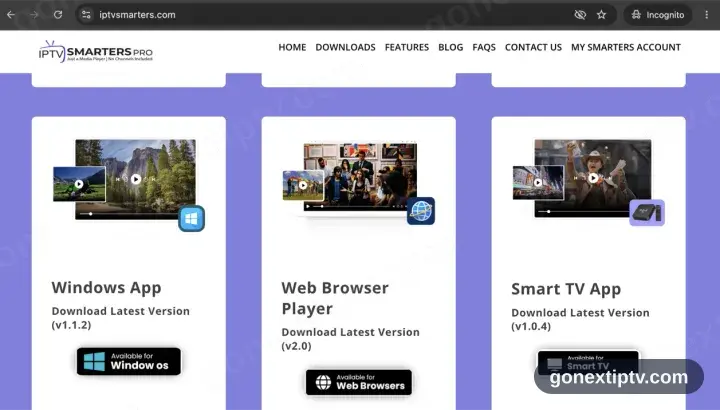
The Microsoft Store does not stock IPTV Smarters Pro. The installer from the vendor site is the only way in.
- 2
Work through the installer, then launch it
Open the file and work through the installer. Windows throws a blue “Windows protected your PC” panel at anything not from the Store — pick More info, then Run anyway. Then start IPTV Smarters Pro.
- 3
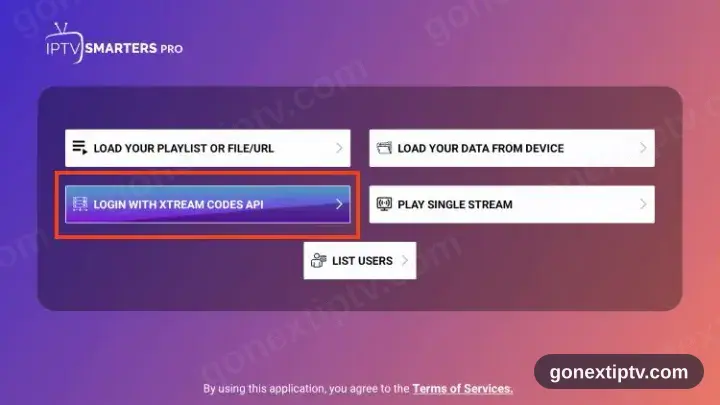
Pick Login with Xtream Codes API
Two sign-in routes are offered on the opening screen. Xtream Codes API is the one you want, not M3U.
- 4
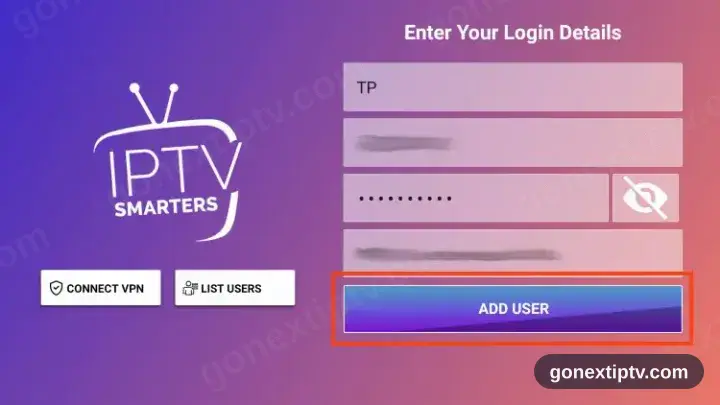
Key in your credentials
Server URL, username and password, straight from your account on our website. Case matters on all three.
- 5
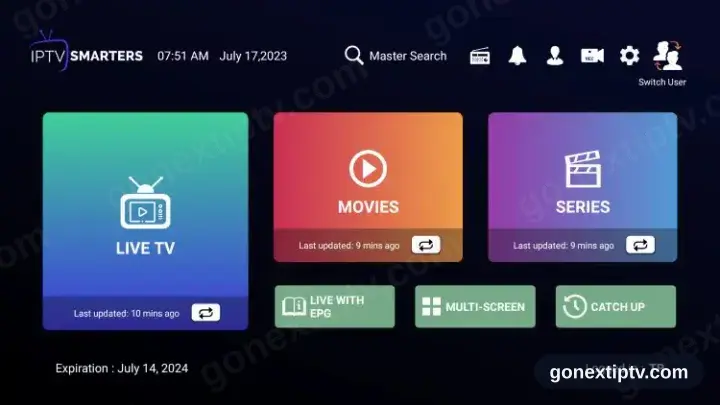
You are live
Channels, films and series populate. Hit play on anything to confirm the feed.
Your GO Next IPTV login details (username, password & server URL, M3U link or MAG portal URL) are in your account on our website as soon as your subscription is active. Can't find them? Contact support and we'll help.
Installing IPTV Smarters PRO on Windows: what is different
On Windows, IPTV Smarters PRO is a desktop program — install it from the Microsoft Store or run the installer from the developer's site.
SmartScreen may warn about an installer it has not seen before. Choose More info › Run anyway only if you downloaded IPTV Smarters PRO from its official page.
A wired Ethernet connection is worth using on a desktop PC: Wi-Fi adapters on older machines are the usual cause of stuttering at high bitrates.