Install IPTV Smarters PROon your Samsung TV
- DeviceSamsung TV
- AppIPTV Smarters PRO
- 3SetupFollow the steps

IPTV Smarters PRO
Samsung Apps store · Samsung Tizen
- 1
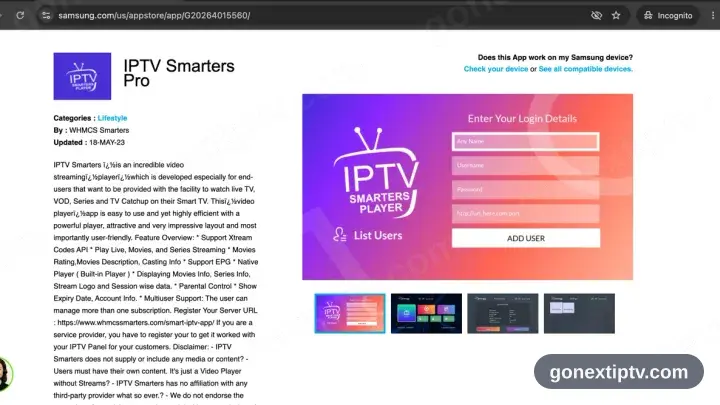
Look up IPTV Smarters in Samsung Apps
Press Home, open Apps — that is Samsung’s store — and search for IPTV Smarters.
- 2
Install, then launch the app
Press Install, let it finish, then start IPTV Smarters Pro.
- 3
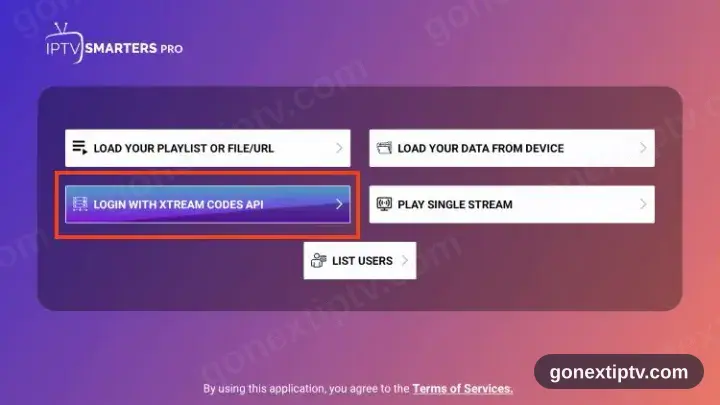
Pick Login with Xtream Codes API
Two sign-in routes are offered on the opening screen. Xtream Codes API is the one you want, not M3U.
- 4
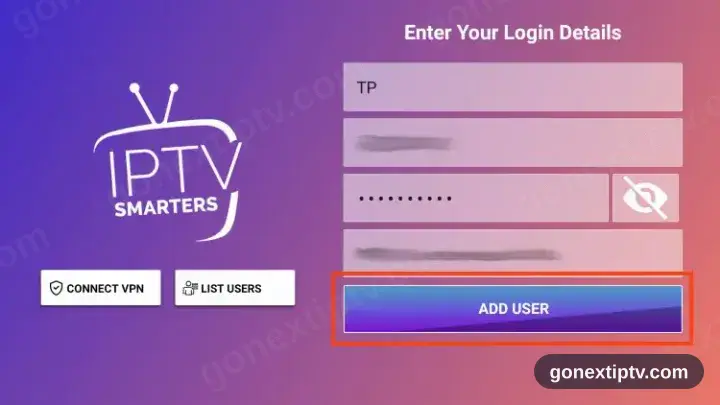
Key in your credentials
Server URL, username and password, straight from your account on our website. Case matters on all three.
- 5
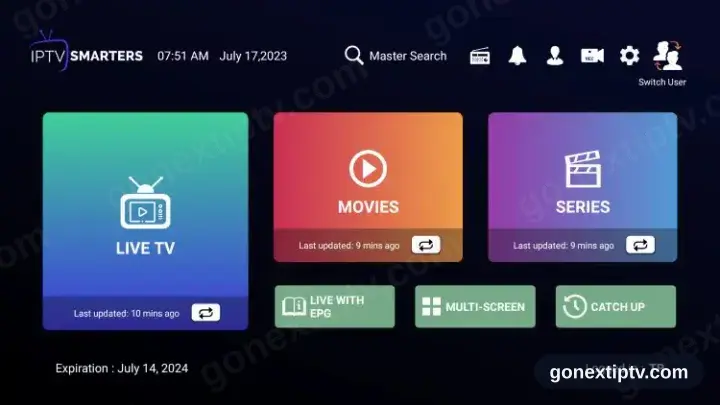
You are live
Channels, films and series populate. Hit play on anything to confirm the feed.
Your GO Next IPTV login details (username, password & server URL, M3U link or MAG portal URL) are in your account on our website as soon as your subscription is active. Can't find them? Contact support and we'll help.
Installing IPTV Smarters PRO on Samsung TV: what is different
Samsung TVs run Tizen. Open the Samsung Apps store with the Home button on your remote, then search for IPTV Smarters PRO.
Retail Samsung sets cannot sideload an APK. If IPTV Smarters PRO is not listed for your model or region, pick another app from the device page instead.
Once installed, IPTV Smarters PRO appears in the Apps row on the Home screen — you do not need to reopen the store to launch it.