Install on your MAG box
No app needed — your MAG box reads the GO Next IPTV portal directly. Follow the steps below.
- DeviceMAG
- 3SetupFollow the steps
MAG setup
Portal-based — no app required.
- 1
Share your MAC address with us
During checkout, send the MAC address printed on the back of your MAG box. We bind your subscription to that MAC.
- 2
Open the System Settings
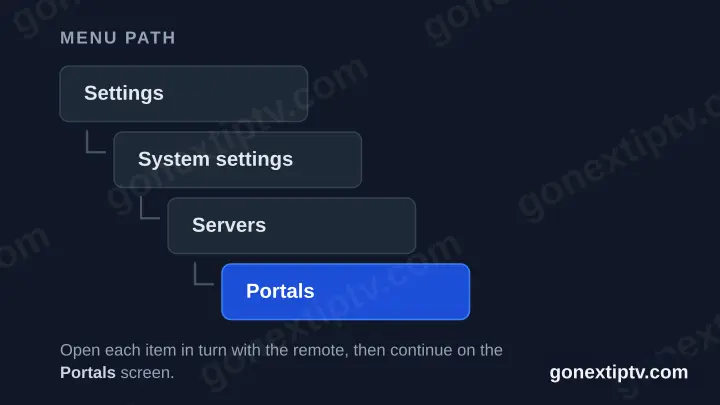
On the MAG home screen, navigate to Settings → System settings → Servers → Portals.
- 3
Set Portal 1
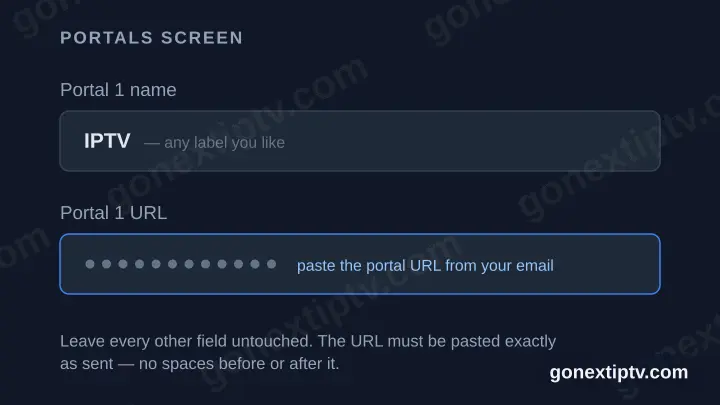
Set "Portal 1 name" to a label of your choice (e.g. our brand). Paste the Portal URL from your account on our website into "Portal 1 URL".
- 4
Save and reboot
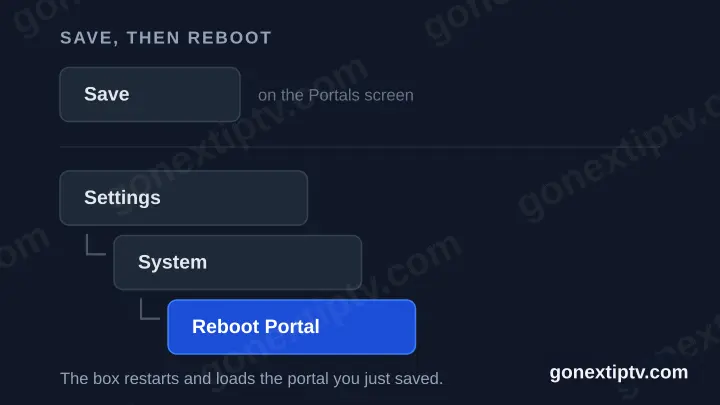
Save the settings, then reboot the portal via Settings → System → Reboot Portal.
- 5
Start watching
Your channels, movies and series load automatically when the portal restarts.
Your GO Next IPTV login details (username, password & server URL, M3U link or MAG portal URL) are in your account on our website as soon as your subscription is active. Can't find them? Contact support and we'll help.
Setting up on MAG — common questions
How to get started, and the issues people hit most often afterwards.
How do I start the installation?
Pick any app from the list on this page — start with the recommended one if you have no preference. There is no wrong choice: they all connect with the same login details, so you can install several, try them, and keep whichever you like best. Nothing is tied to the app you pick first, and switching later costs nothing.
Why does the picture keep buffering or freezing?
Buffering is almost always the connection between your MAG and the internet, not the channel. Wired beats Wi-Fi every time — if your MAG can take an Ethernet cable, use one. On Wi-Fi, 5 GHz is far better than 2.4 GHz, and distance from the router matters more than raw speed. A 4K channel needs noticeably more bandwidth than an HD one, so if only the 4K feeds stutter, that is the cause. If a single channel buffers while everything else is fine, the problem is that channel, not your setup.
How do I turn on subtitles or change the audio track?
Both are controlled by the player app on your MAG, not by the subscription. Start playback, open the on-screen options — usually a gear or a speech-bubble icon, or the menu button on your remote — and pick from the tracks the channel is broadcasting. If the list is empty, that particular channel is not sending any, and no setting will add them.