Install TiviMateon your Android
- DeviceAndroid
- AppTiviMate
- 3SetupFollow the steps
%20scale(0.100000,-0.100000)'%20fill='%23fff'%20stroke='none'%3e%3cpath%20d='M1028%203308%20l-3%20-293%20-92%20-3%20-93%20-3%200%20-189%200%20-190%2094%200%2094%200%204%20-467%20c4%20-399%207%20-476%2021%20-526%2037%20-127%20121%20-248%20218%20-312%20141%20-94%20238%20-120%20454%20-119%20174%200%20264%2017%20363%2069%2080%2041%2077%2031%2039%20141%20-33%2095%20-94%20250%20-103%20266%20-2%203%20-30%20-5%20-61%20-19%20-111%20-51%20-263%20-39%20-329%2025%20-15%2015%20-36%2047%20-48%2072%20-20%2043%20-21%2063%20-24%20458%20l-3%20412%20220%200%20221%200%200%20190%200%20190%20-217%202%20-218%203%20-3%20293%20-2%20292%20-265%200%20-265%200%20-2%20-292z'/%3e%3cpath%20d='M3600%202948%20c0%20-7%20-30%20-78%20-66%20-158%20-36%20-80%20-77%20-174%20-90%20-210%20-14%20-35%20-54%20-127%20-89%20-205%20-34%20-77%20-73%20-165%20-85%20-195%20-13%20-30%20-43%20-99%20-68%20-152%20l-45%20-97%20-31%2021%20c-17%2012%20-69%2055%20-116%2095%20-47%2040%20-107%2092%20-134%20116%20-59%2050%20-347%20292%20-472%20396%20-49%2041%20-108%2093%20-132%20115%20l-43%2041%2057%20-120%20c31%20-66%2078%20-169%20104%20-230%2026%20-60%2064%20-143%2084%20-183%2020%20-40%2045%20-94%2055%20-120%2010%20-26%2049%20-109%2085%20-185%2036%20-77%2066%20-142%2066%20-145%200%20-5%2073%20-166%20201%20-442%20l39%20-85%20266%200%20266%200%2017%2055%20c10%2030%2045%20127%2078%20215%20104%20274%20186%20497%20210%20570%2013%2039%2052%20147%2087%20240%20134%20355%20246%20662%20246%20672%200%202%20-110%203%20-245%203%20-189%200%20-245%20-3%20-245%20-12z'/%3e%3c/g%3e%3c/svg%3e)
- 1
Search Google Play for TiviMate
Open Google Play on the handset, search TiviMate IPTV Player and press Install.
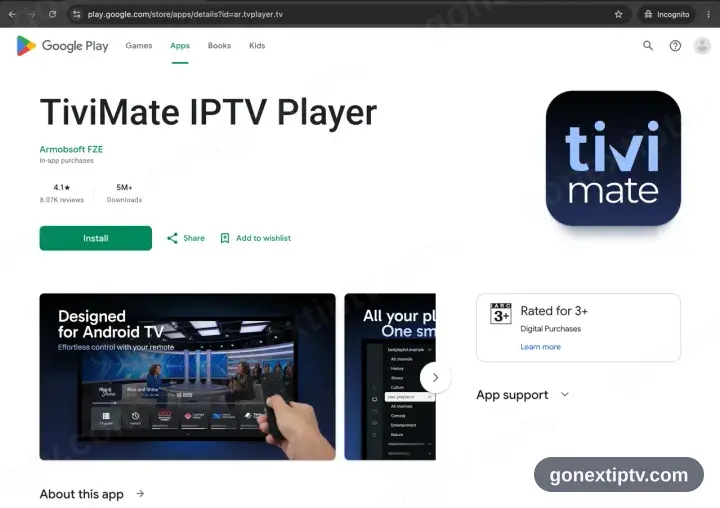
TiviMate is a TV-first app. It installs on a handset happily enough, but every control assumes a remote — IPTV Smarters Pro further down suits a phone better.
- 2
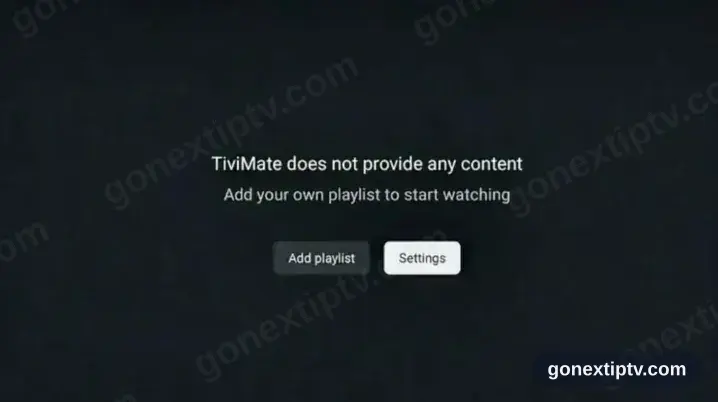
Start TiviMate, take Add playlist
Launch it and pick Add playlist from the first screen.
- 3
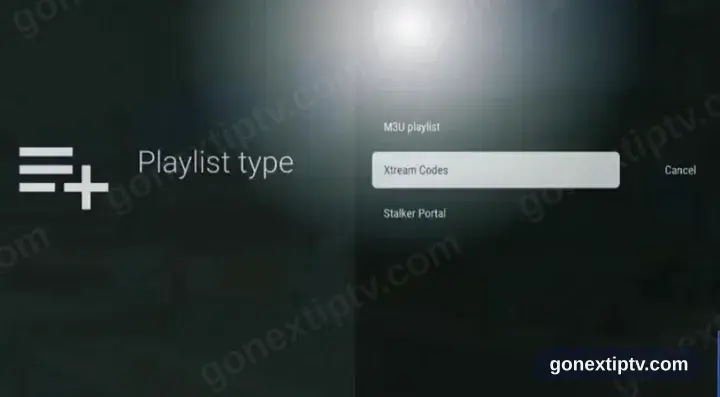
Set the type to Xtream Codes
Xtream Codes, not M3U.
- 4
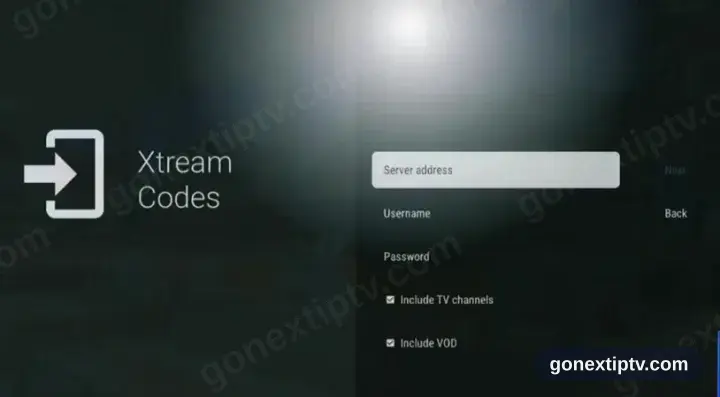
Key in your credentials
Server URL, username and password, straight from your account on our website. Case matters on all three.
- 5
You are live
TiviMate populates channels, films and series. Hit play on anything to confirm the feed.
Your GO Next IPTV login details (username, password & server URL, M3U link or MAG portal URL) are in your account on our website as soon as your subscription is active. Can't find them? Contact support and we'll help.
Installing TiviMate on Android: what is different
On an Android phone or tablet, TiviMate installs from Google Play in the usual way — no rooting and no developer settings.
If you install TiviMate from an APK instead, Android asks once for permission to install from that source. Grant it to the browser or file manager doing the install, not system-wide.
Playing over mobile data works, but a live HD channel uses roughly 1–2 GB per hour — worth checking your plan before a full match.